Port still in use after you stop your dev server on Windows
You stopped your dev server, started it again, and got "Error: listen EADDRINUSE: address already in use :::3000". On Windows, ending a process does not end the processes it started, so one of them can still hold the port.
Why the port stays busy
One dev command starts a chain of processes. When we measured pnpm exec vite on Windows, it ran 7 deep: cmd.exe, node.exe, cmd.exe, node.exe, cmd.exe, node.exe and esbuild.exe. The process that listens on the port is one of the lower ones.
Ctrl+C in the terminal that started the server usually stops the whole chain. Leftovers appear when only part of it ends: you end one node.exe in Task Manager, the parent crashes, or a tool that started the server for you exits without stopping it. Windows keeps child processes running after their parent has gone.
Find the leftover processes
List the Node processes with their parent process IDs and command lines. The command line shows which project each one belongs to. To start from the port instead, see Find what is using port 3000 on Windows.
A leftover's parent has often exited. Windows reuses process IDs, so a parent ID can also belong to a newer, unrelated program. Check names and command lines before you stop anything.
Get-CimInstance Win32_Process -Filter "Name = 'node.exe'" |
  Select-Object ProcessId, ParentProcessId, CommandLine
Stop the whole tree
When you are sure a process belongs to your old dev server, stop it together with everything it started. Replace 1234 with its process ID. /T includes child processes and /F forces them to close.
Forcing a program to close discards anything it had not saved, so use this only on processes you recognize. If the top of the chain has already exited, run it on the highest leftover that is still running. Its children close with it.
taskkill /PID 1234 /T /FHow RepoYard stops a dev server
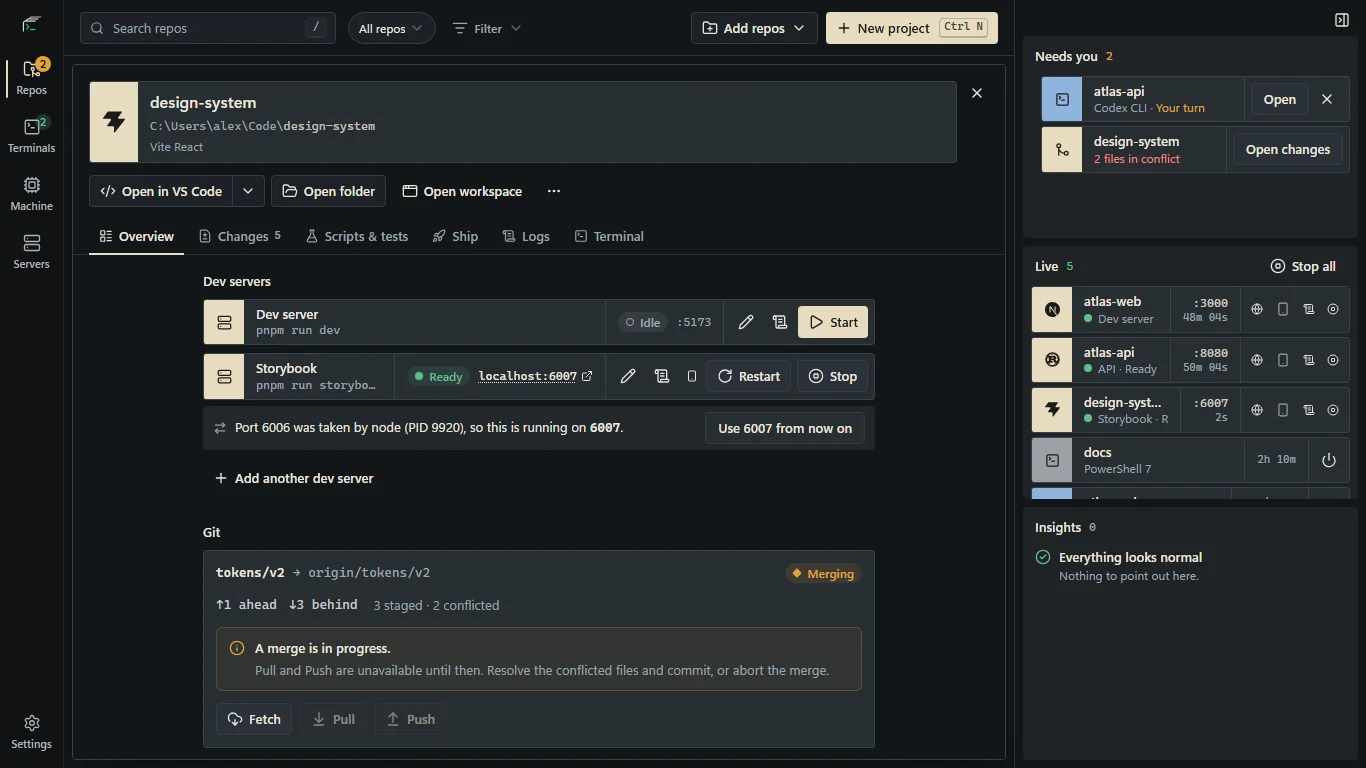
RepoYard starts each dev server in a Windows job object, a group of processes that Windows ends together. Stop ends every process the server started. In our test, Stop ended all 7 processes of a pnpm-run Vite server, and the port was free a second later. If RepoYard crashes or is ended from Task Manager, Windows ends its dev servers too.
When another program holds the port, RepoYard names it and its process ID. If RepoYard can pass the port to your dev server, it starts on the next free one, as in the screenshot. Otherwise the start stops and offers Stop node and start, which ends that program and its children, then starts yours. It never offers this for Windows' own processes, containers, WSL or another dev server RepoYard is running.
In Machine, then Ports & processes, leftover dev processes such as a node.exe that RepoYard did not start are marked not started by RepoYard. Stop ends one with its children, after checking that its process ID still belongs to the same program.
Further reading
Try the workflow in RepoYard.
Windows 10 and 11, x64. Every feature for 7 days, then US$39.99 once. No RepoYard account needed.