Use the right Node version for each project on Windows
One project needs Node 20, another needs 22, and npm prints a warning that is easy to miss: "npm WARN EBADENGINE Unsupported engine". The install carries on, and the build or dev server can fail later with a less helpful error. Each project can say which Node it needs, and a version manager can switch to it.
Check which Node the project asks for
Look for a .nvmrc or .node-version file in the repo, or a node entry under engines or volta in package.json. node -v shows the Node you are running now.
To pin a version yourself, write it to .nvmrc. In Windows PowerShell 5.1, node -v > .nvmrc saves the file as UTF-16 rather than plain text. Set-Content with an encoding writes it the way version managers expect.
node -v
Set-Content .nvmrc 20 -Encoding ascii
Switch with a version manager
fnm switches per terminal. Install it with winget, then add the second line below to the end of your PowerShell profile. Each time you cd into a folder with a .nvmrc or .node-version file, fnm switches to that version. By default it only checks the folder you are in, and it reads package.json engines only with the --resolve-engines option.
nvm-windows keeps one Node link on the system PATH, so nvm use 20 switches every open terminal at once and usually needs an admin shell. Its README points to an open issue for .nvmrc support. Volta pins a version with volta pin node@20, records it in package.json and uses it whenever you run node inside that project.
winget install Schniz.fnm
fnm env --use-on-cd --shell powershell | Out-String | Invoke-Expression
Run each repo on its own Node in RepoYard
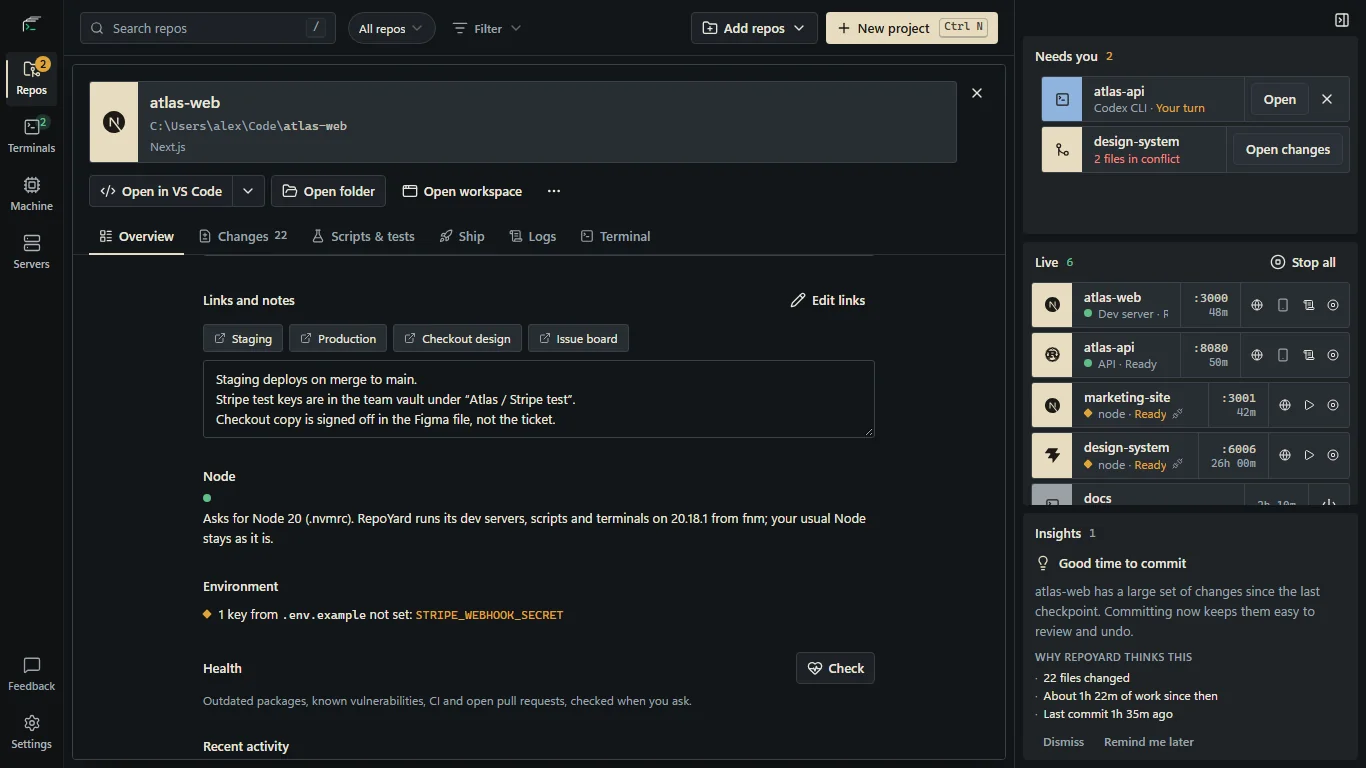
RepoYard reads what each repo asks for: .nvmrc, .node-version, .tool-versions, or the volta or engines entry in package.json. It checks the folder and its parents up to the repo root, so a package inside a monorepo uses the root's .nvmrc. It understands versions such as 20, lts/iron and >=18 <21, and files saved as UTF-16.
If the Node on your PATH fits, RepoYard uses it. If not, it picks the newest matching version that fnm, nvm-windows, Volta or nvs has installed and puts it first on PATH for that repo's dev servers, scripts and terminals. Your system PATH and other terminals stay as they are. The repo's Overview and its dev servers show which Node they run on, and the dev server log starts with a line such as: RepoYard: using Node 20.18.1 (fnm) for "20" in .nvmrc.
When no installed version fits, the Overview offers Install. It opens a PowerShell window and runs fnm install, nvm install or, for Volta, volta fetch, which downloads that Node without making it your default. With none of them, it installs fnm with winget first. Choose Check again when it finishes. A dev server already running on the wrong Node shows a warning with the install command.
Further reading
Try the workflow in RepoYard.
Windows 10 and 11, x64. Every feature for 7 days, then US$39.99 once. No RepoYard account needed.