Preview a Vite or Next.js app on your phone
Localhost on your phone points to the phone itself. To see an app running on your Windows PC, the phone needs an address it can reach on your local network. Both devices must be on the same Wi-Fi.
Use your PC's network address
For a manual setup, check that the development server listens on a network interface and open its network URL on the phone. Vite can be started with a host flag; Next.js provides a hostname option.
For a Vite project whose dev script runs vite, use the command below. Open the network URL printed by the server. For Next.js, consult its CLI hostname option if your server is bound only to localhost.
npm run dev -- --host 0.0.0.0Use RepoYard's phone preview
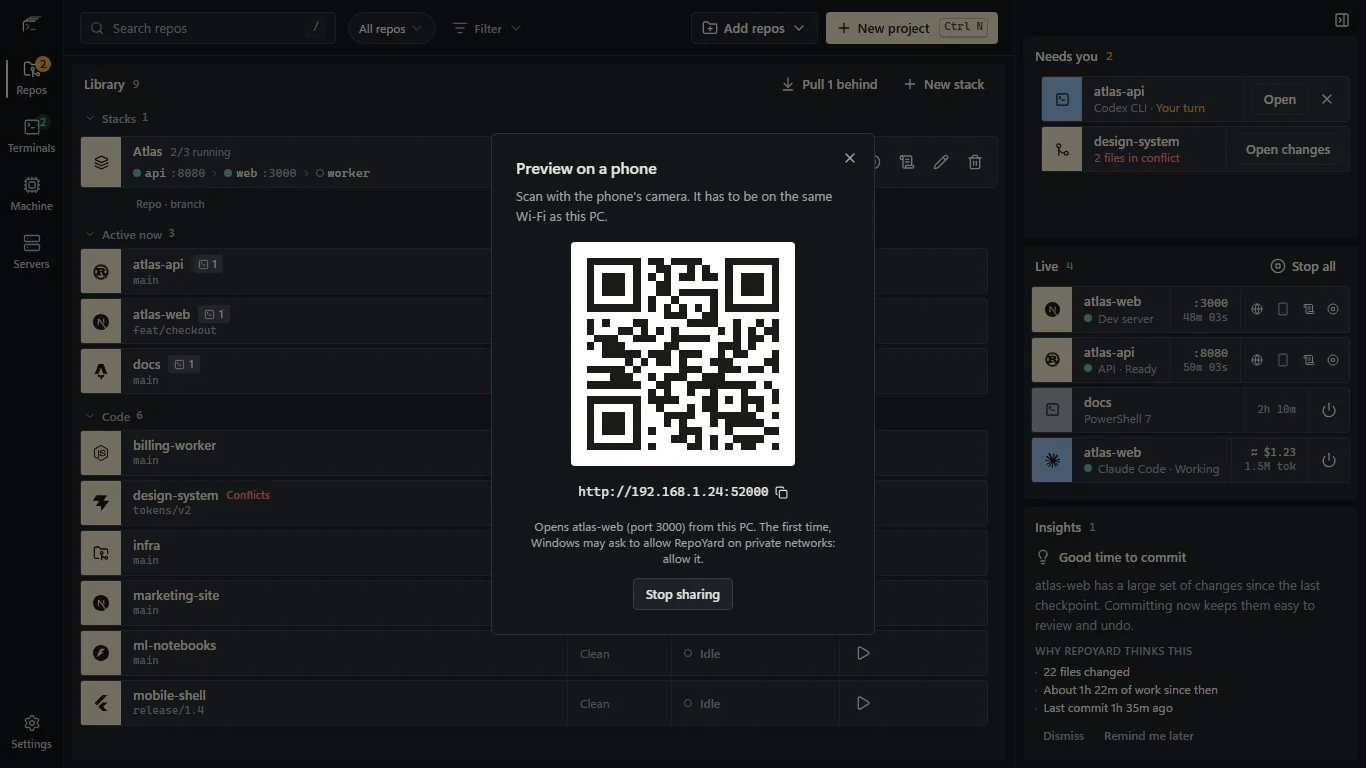
Start the dev server in RepoYard, press its phone-preview button, and scan the QR code from your phone. RepoYard forwards requests to localhost and rewrites Host, Origin and Referer so Vite and Next.js can accept the request without changing their server configuration.
Live reload continues to work. The preview uses your local network; it is not a public tunnel or a hosted deployment. Keep the dev server running while testing.
If the phone cannot connect
Check that both devices are on the same network. Guest Wi-Fi can isolate devices, and a firewall can block incoming connections. Use the QR code from the current run because the preview address or port can change.
A browser feature that requires a secure context may behave differently over a local HTTP address. Also check whether your frontend calls an API at a hardcoded localhost URL: on the phone, that API address points to the phone rather than the PC.
Further reading
Try the workflow in RepoYard.
Windows 10 and 11, x64. Every feature for 7 days, then US$39.99 once. No RepoYard account needed.