See your Git status, start your dev stack in order, and run Claude Code or Codex in tabs. RepoYard checkpoints your files before each coding session so you can undo its changes.
Windows 10 and 11, x64. No RepoYard account needed.
When the trial ends, buy to unlock. Your repos and history stay on your PC.
RepoYard · Board
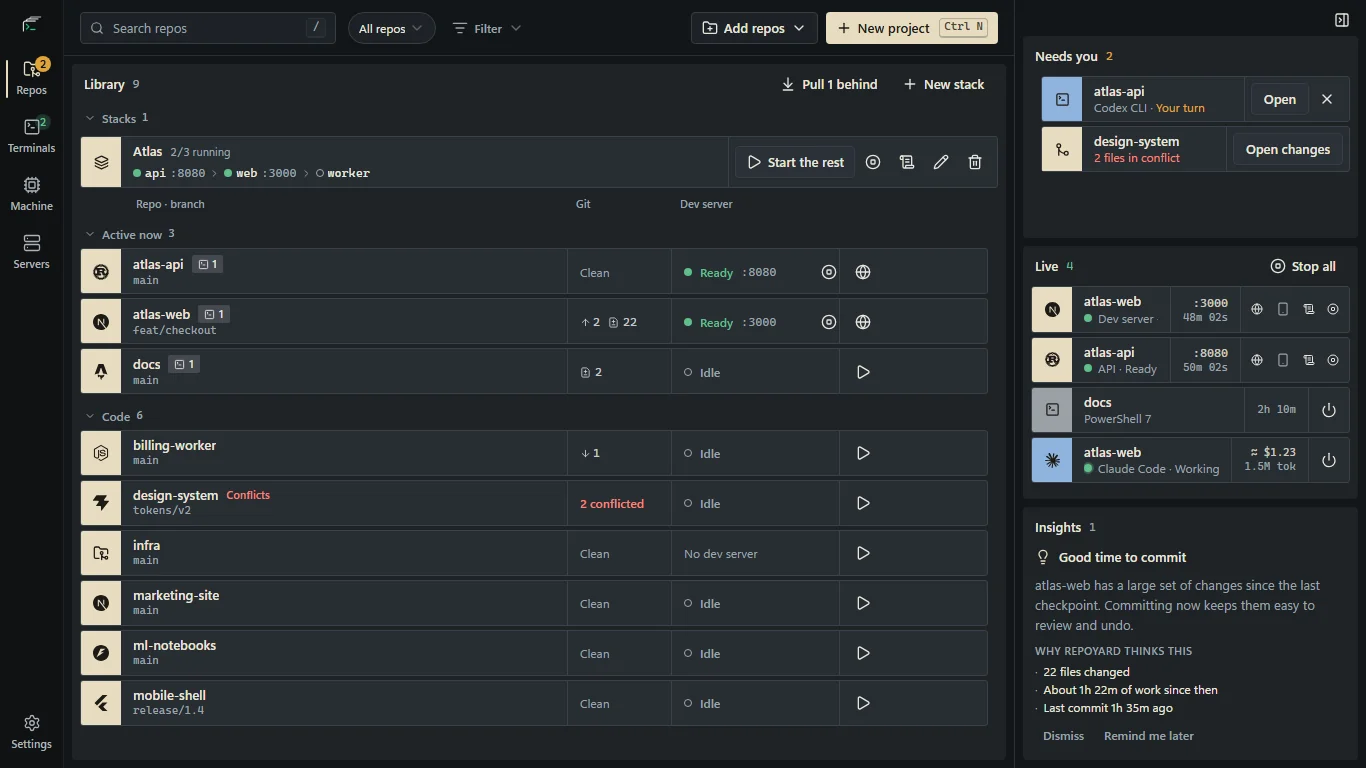
Git status, running servers and coding sessions on one board.
For developers working across several repos. Your code stays on your PC; the tools you launch use their own services.
From code folder to running stack.
Add your code folder. See each repo's branch, changes and server status.
Start the services you need. Follow their readiness and logs from one window.
Open a coding CLI. Work in a repo with a checkpoint to return to.
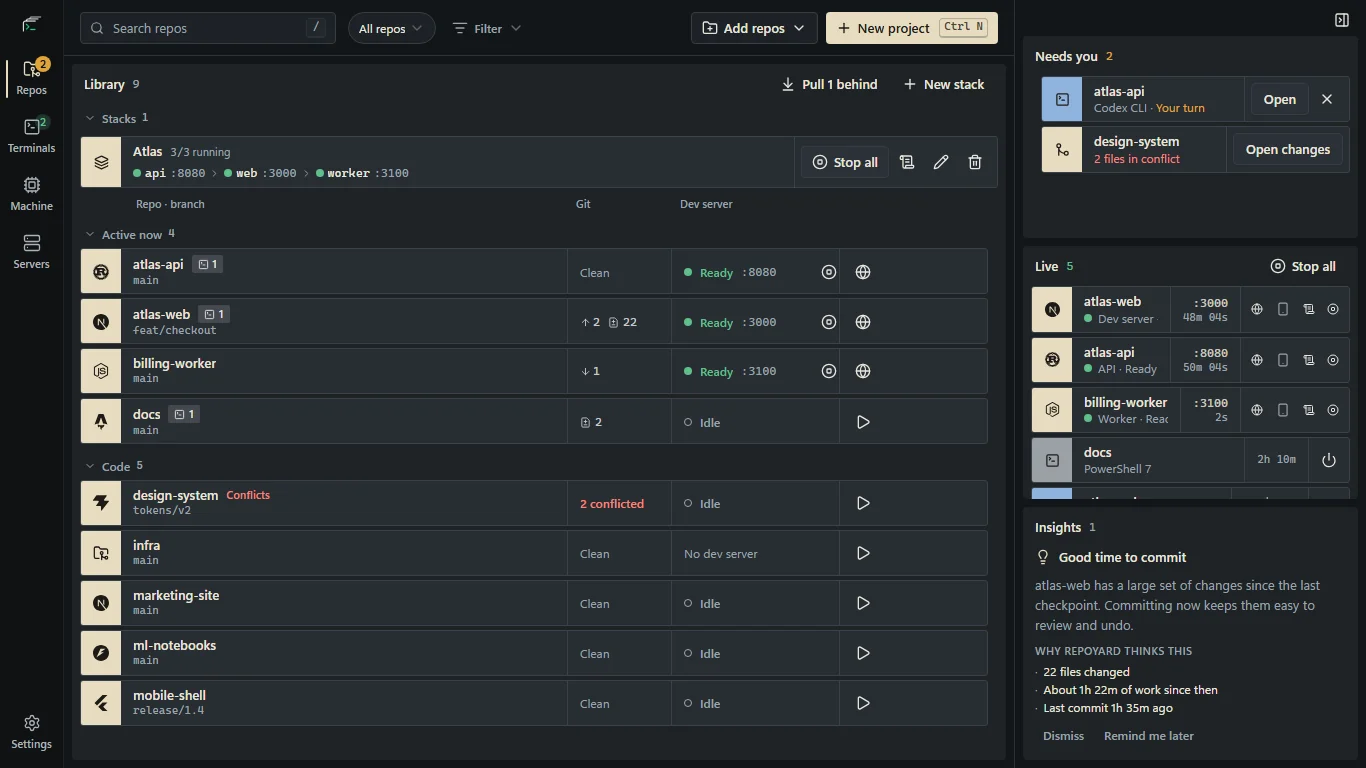
Start your whole stack in order
Stop opening a terminal for every service. Group your web app, API and worker into a stack. RepoYard waits until each service is ready before starting the next, assigns free ports, and stops the whole stack with one button.
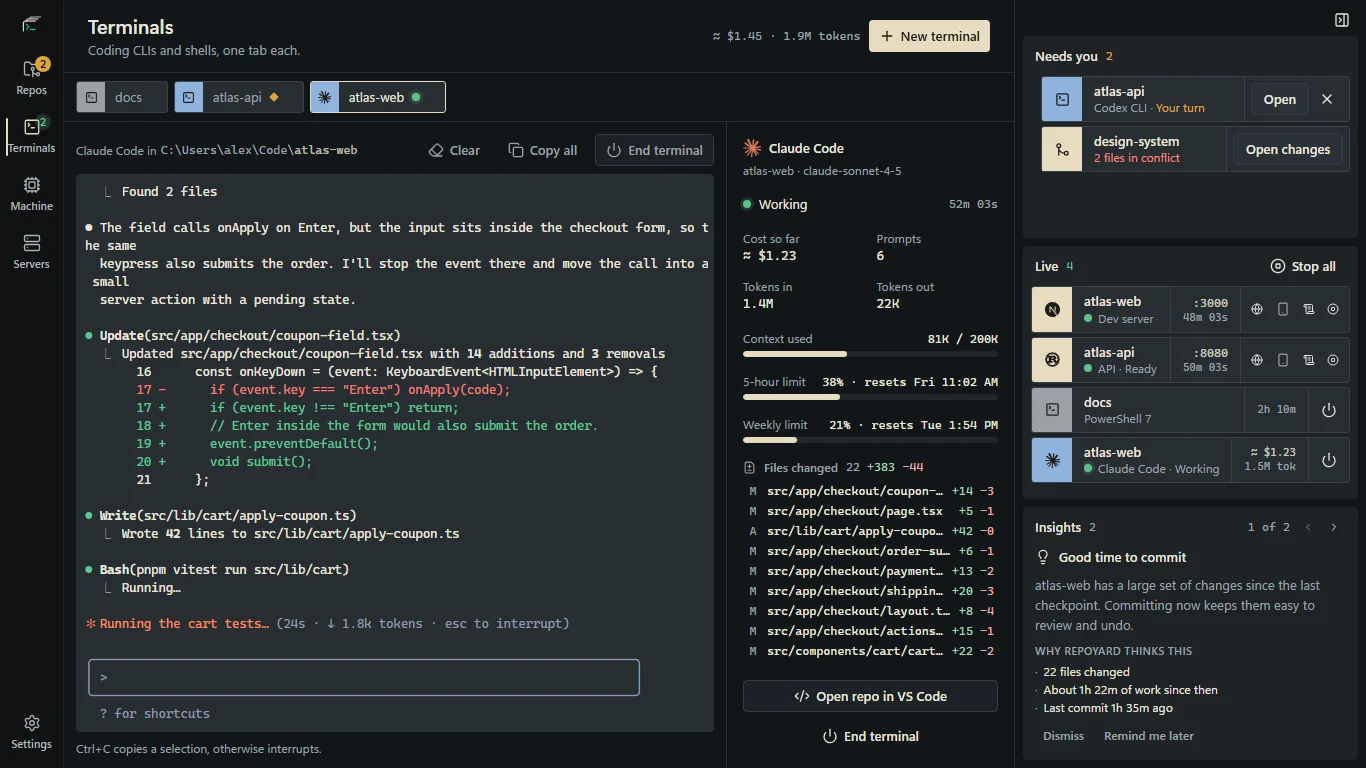
Run Claude Code, Codex CLI, OpenCode, Aider or Antigravity CLI in any repo and get a nudge when one is waiting for you. For Claude Code and Codex, a side panel shows prompts, tokens and an estimated API cost, read from the CLI's own session log.
Keep coding sessions in one window
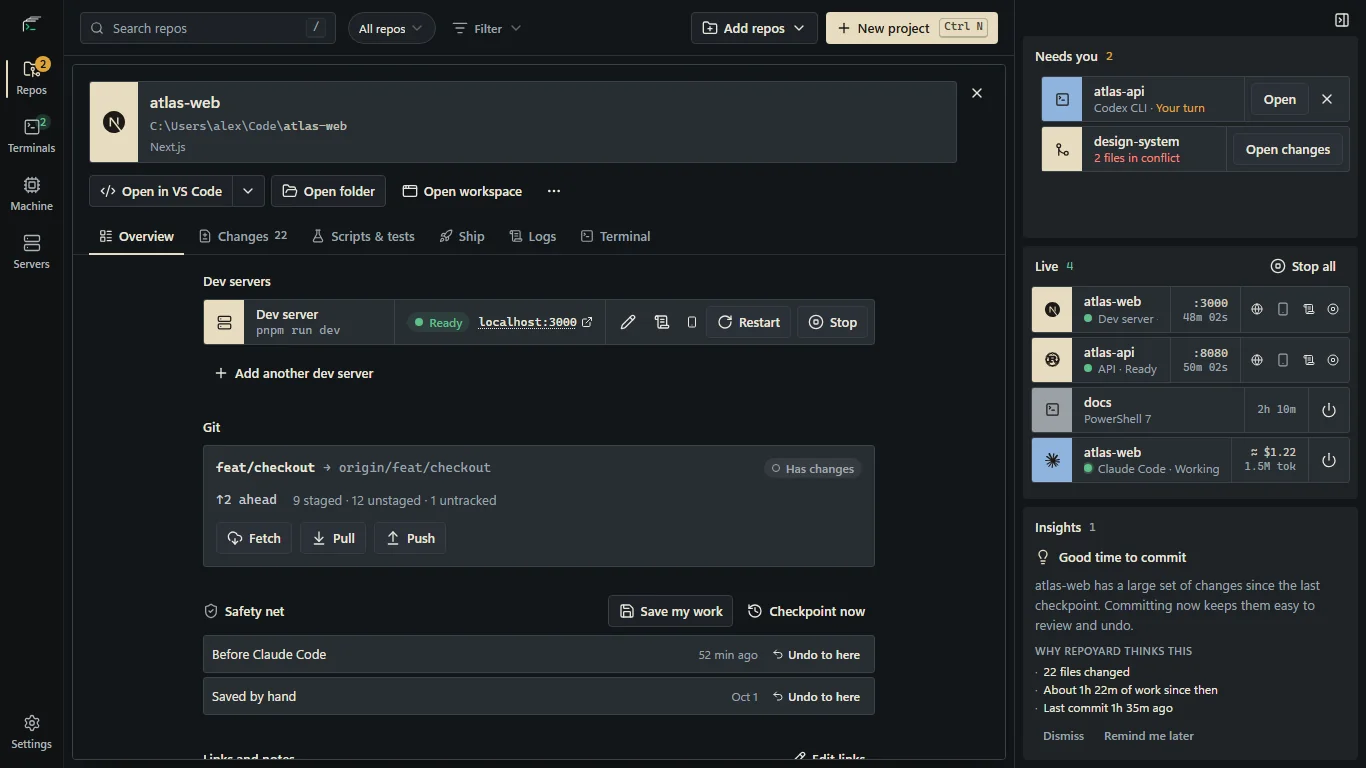
Undo changes from a coding session
An agent changed more than you wanted? RepoYard checkpoints your working tree before a coding CLI starts, including untracked files. Restore that point without changing your branch, index or stash. It checkpoints again before restoring, and keeps the last 20.
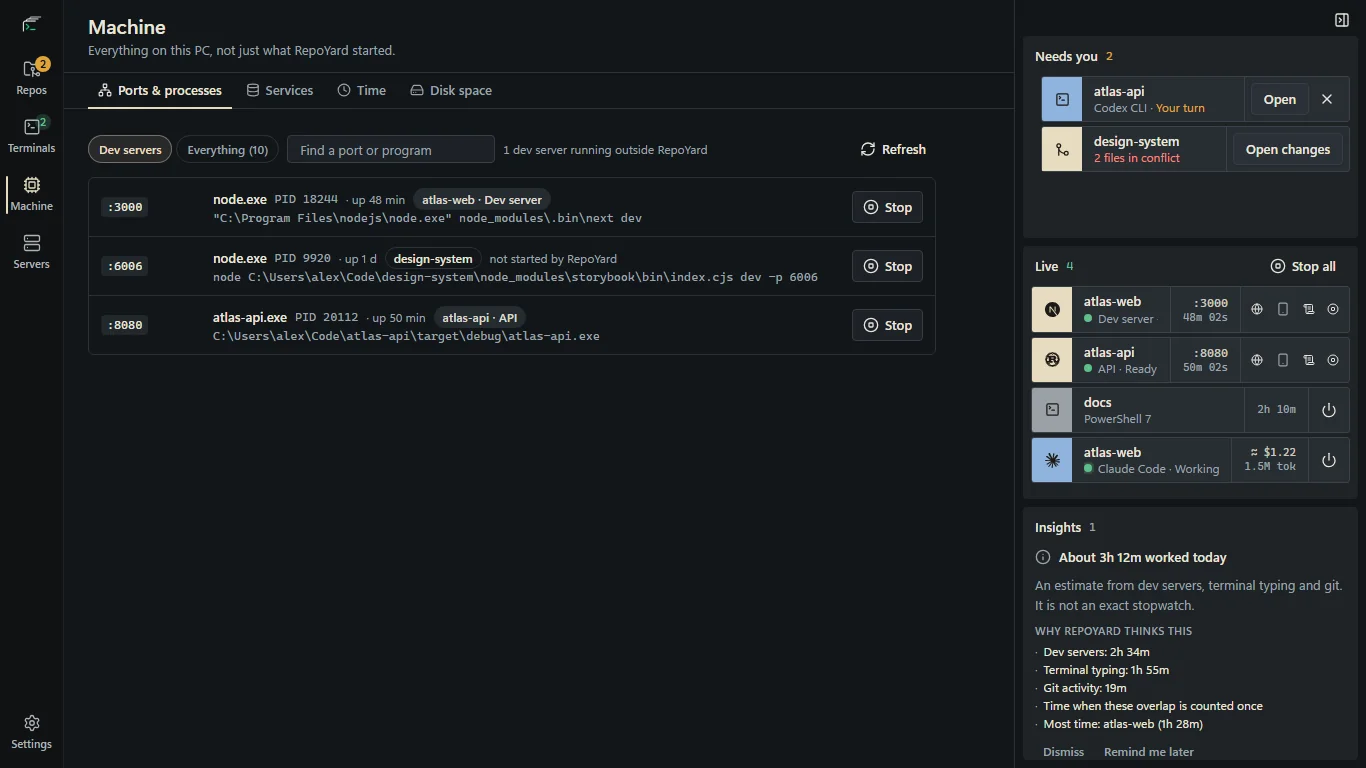
Machine lists every process listening on a port, including dev servers RepoYard didn't start, with its PID and full command line. Stop one in two clicks. Disk space finds build caches across your repos. Time estimates activity from dev servers, terminal typing and Git, counting overlaps once.
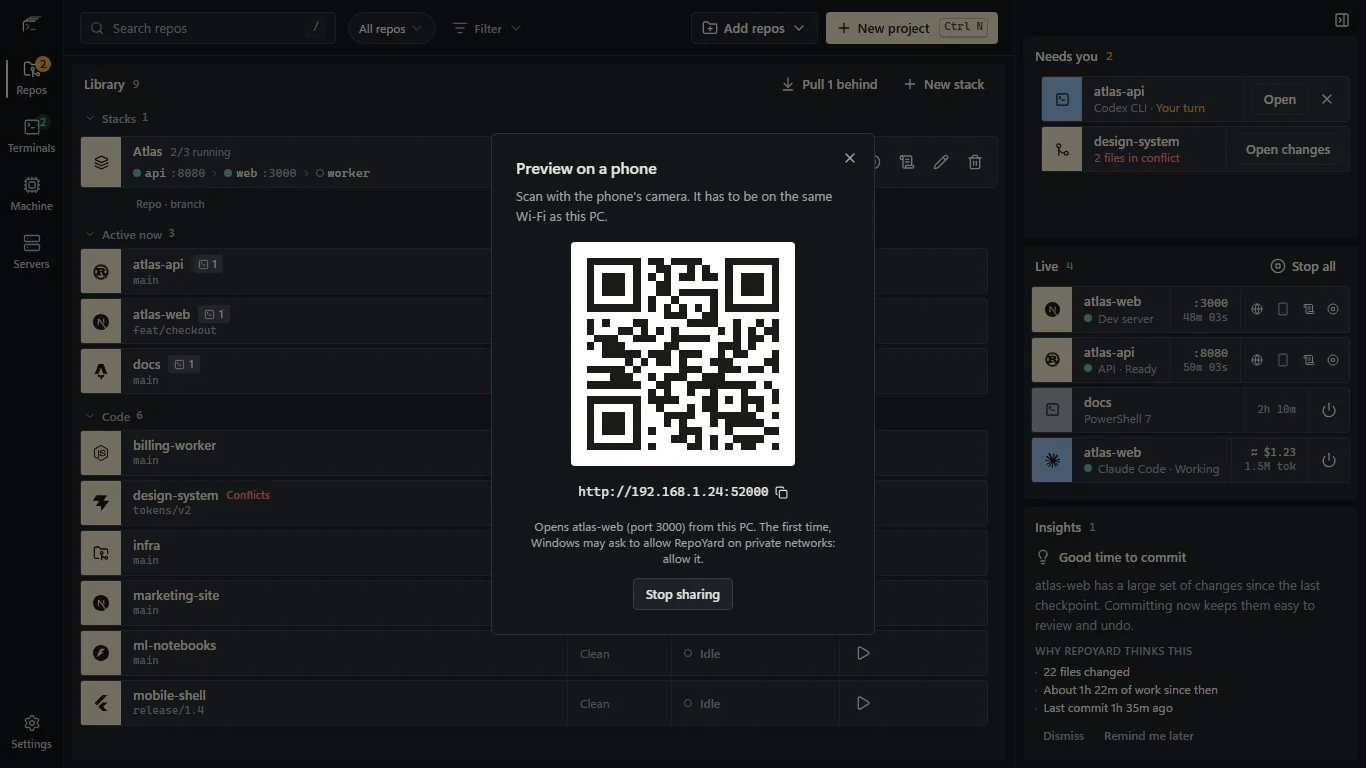
Press the phone button on a running dev server and scan the QR code from a phone on the same Wi-Fi. RepoYard forwards the request to localhost and rewrites Host, Origin and Referer, so Vite and Next.js accept it without config changes. Live reload keeps working.
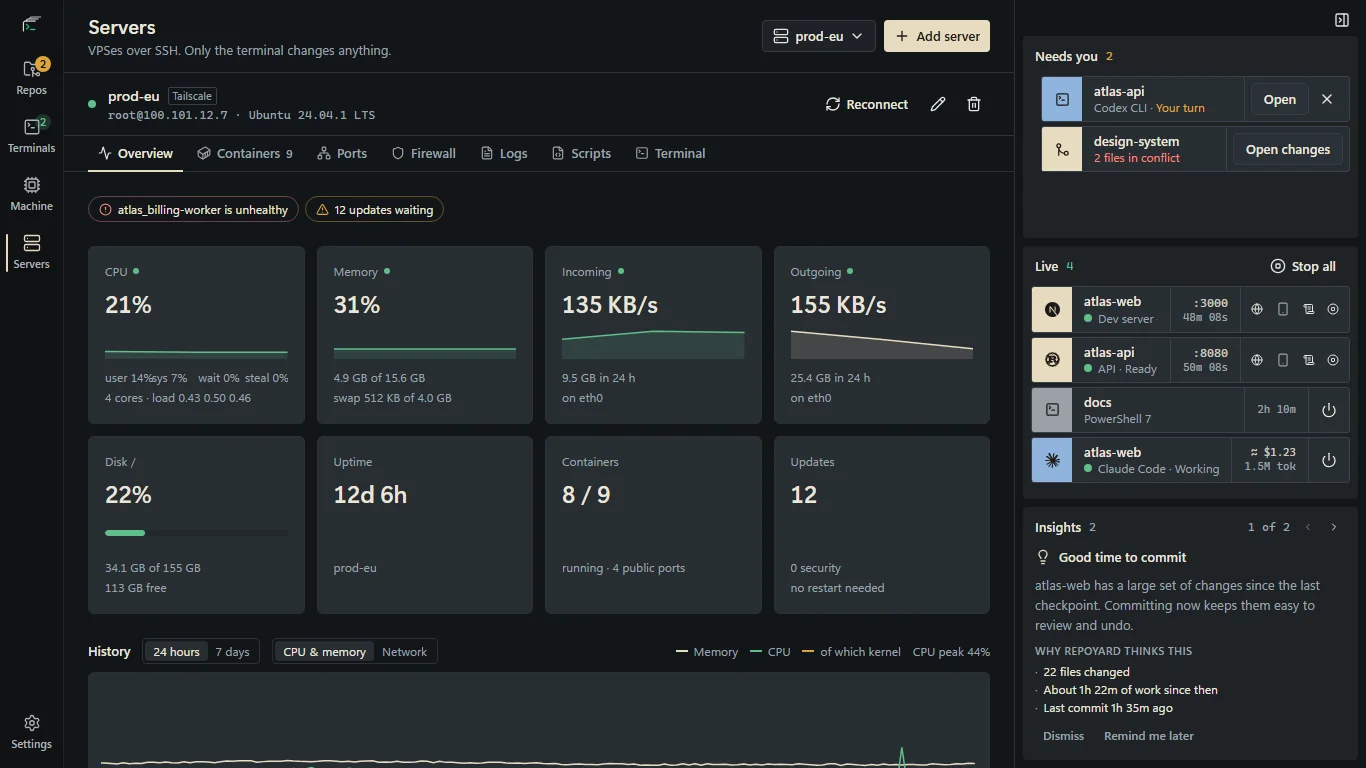
Add servers from your SSH config or your tailnet and see CPU, memory, disk, containers, pending updates and UFW rules, with a warning when a Docker port skips UFW. RepoYard only reads. Fixes are pasted into the terminal, and you press Enter.
Linux servers, read-only
New projects from official generators
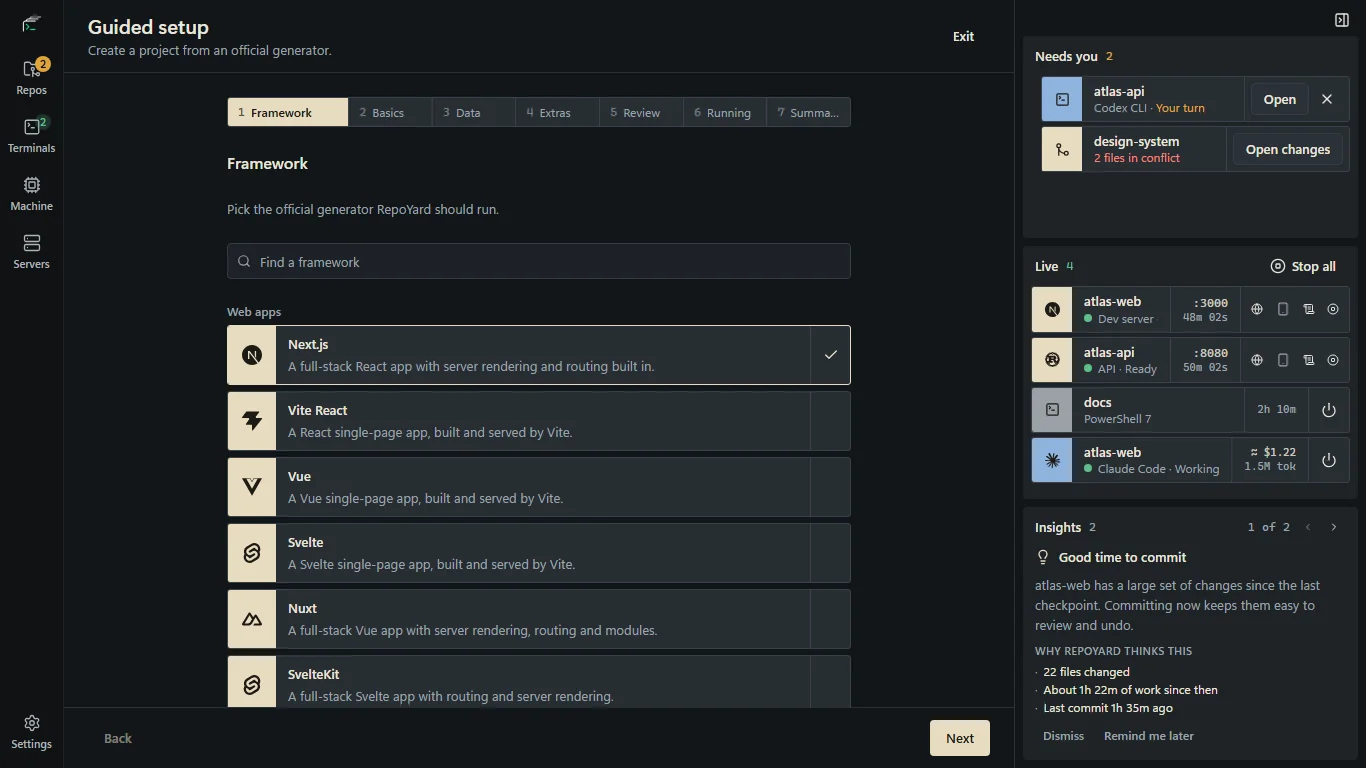
Pick from 24 frameworks, from Next.js and SvelteKit to Laravel, Django and .NET. RepoYard runs each one's own generator, like create-next-app or dotnet new, with the options you picked, pins npm generators to tested versions, and shows every command before it runs.
Download from the Microsoft Store with no card needed during the trial. When it ends, buy to unlock. Your data stays on your PC either way.
Payment and refunds handled by the Microsoft Store.
One price. Everything in.
Every current feature is included. No starter plan, feature tiers or usage caps.
All features, nothing gated behind a higher tier
7-day trial from the Microsoft Store
All 1.x.x updates included
No RepoYard account or cloud sync needed
Keep the version you buy, with no renewal
Windows 10 (v2004+) and Windows 11, x64
Your code stays on your PC.
No RepoYard account or cloud sync. Your repos, settings, notes and logs stay on your PC. Onboarding asks you to accept the Terms of Service and separately offers anonymous usage and crash reports. Reports are optional, unchecked by default, and can be turned off in Settings. Your license is checked with the Microsoft Store. Tools you start from RepoYard, like git push, ssh, Claude Code and Codex, talk to their own services as they would in any terminal. This website counts visits without cookies. Privacy policy
Before you buy
How does the trial work?
Download from the Microsoft Store using a Microsoft account. No RepoYard account or card is needed for the trial. You get 7 days with every feature unlocked. When the trial ends, RepoYard locks. It can still stop anything that's running, and your repos, settings and history stay on your PC untouched.
Is it a subscription?
No. Pay once: currently US$39.99 (regular US$49.99) in the US, and the Store shows your local price. Keep RepoYard V1 with no renewal required. All 1.x.x updates we release are included at no extra cost. These updates focus on bug fixes, polish and small improvements to existing features.
Which Windows versions are supported?
Windows 10 version 2004 or later, and Windows 11, on x64 PCs.
Which coding CLIs work with RepoYard?
Claude Code, Codex CLI, OpenCode, Aider and Antigravity CLI. Token usage and API cost tracking is shown for Claude Code and Codex, read straight from their session logs.
How do refunds work?
The Microsoft Store handles payment and refunds. Request one from Order history in your Microsoft account.
Do I have to share usage and crash reports?
No. Onboarding has a separate, optional checkbox for anonymous usage and crash reports, unchecked by default. Accepting the Terms of Service does not enable reports. You can change the reporting choice in Settings, and every feature works with it off. See what reports contain.
Is there a Mac version?
Not yet. Join the waitlist and we'll email you when there's a Mac build to try.
Point it at your code folder.
RepoYard scans every repo inside and surfaces branch, changes and dev server status. Nothing is written to disk during the scan.